








• "Be the leader you would follow"

  • "Be the energy you want to attract"

  • "Be the game changer"

  • 1
  • 2
  • 3

Welcome to Creative Leaders

At Creative Leaders we are passionate not only about small business itself, but about small business owners and their teams! 
Small business owners are the passionate, creative, hard working, energetic souls that we love to work with. 

How We Can Help

  • Default
  • Title
  • Date
  • Random

What is Appreciation Marketing

Savvy entrepreneurs understand that customer service remains a key factor in the success of their small businesses, even in the digital age. Appreciation marketing combines elements of excellent customer service with marketing techniques to build strong relationships with consumers. The combination results in better company loyalty, which drives sales for a company, and the customer feeling that the company cares about him as an individual.

Menu Options

RokNavMenu is the core of all the powerful Anacron menu system. Please ensure you are using the latest version of RokNavMenu, available here.


Dropdown Menu

The Dropdown Menu is an advanced CSS drive dropdown menu system. It offers advanced structural features such as multiple columns, inline icons and text, inline modules and positions, custom column widths, item distribution and menu offset. All of these are configurable for each menu item.
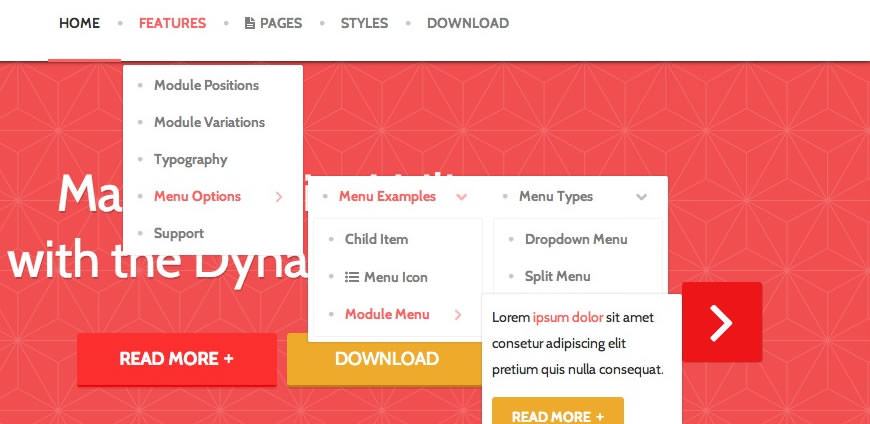
Dropdown Menu
 

SplitMenu

A static menu system that displays 1st level items in the main horizontal menu and further children in the Sidebar.
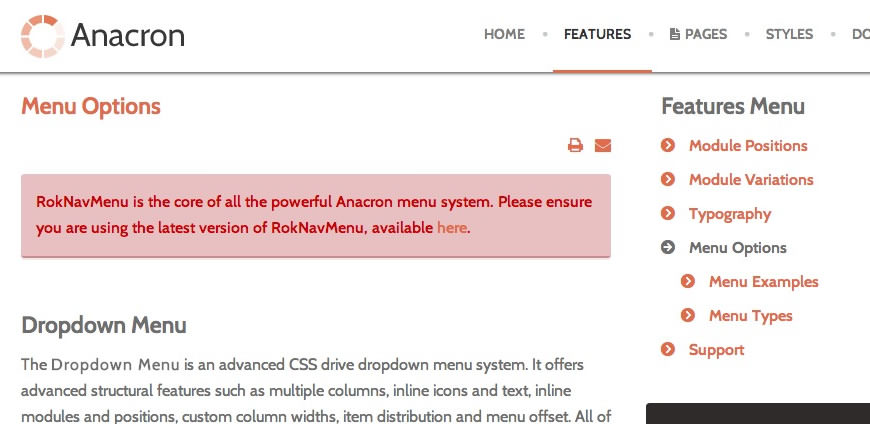
SplitMenu
 

All Menu Items can be edited from Admin → Menu → Menu NameMenu Item.


image

Responsive Mode: Smartphone

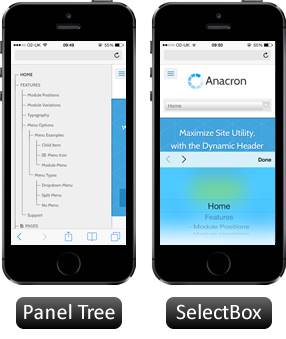
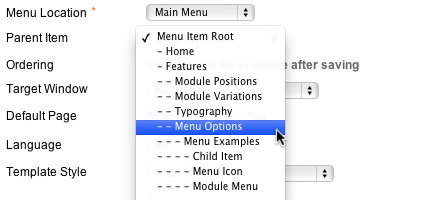
For mobile devices, there are two options, a dropdown panel menu with items in a tree format or a select box using the browsers own UI elements. Chose a format in the template's menu settings.

The mobile menu is active for both the Dropdown Menu and SplitMenu.


Creating child menu items

Go to Admin → Menu → A MenuA Menu Item → Select a Parent Item, and it will appear as a child of it.
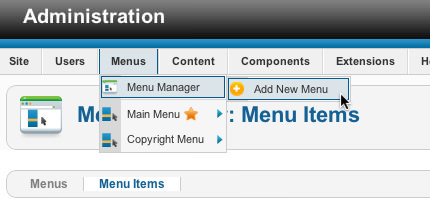
image
image

Preset Styles

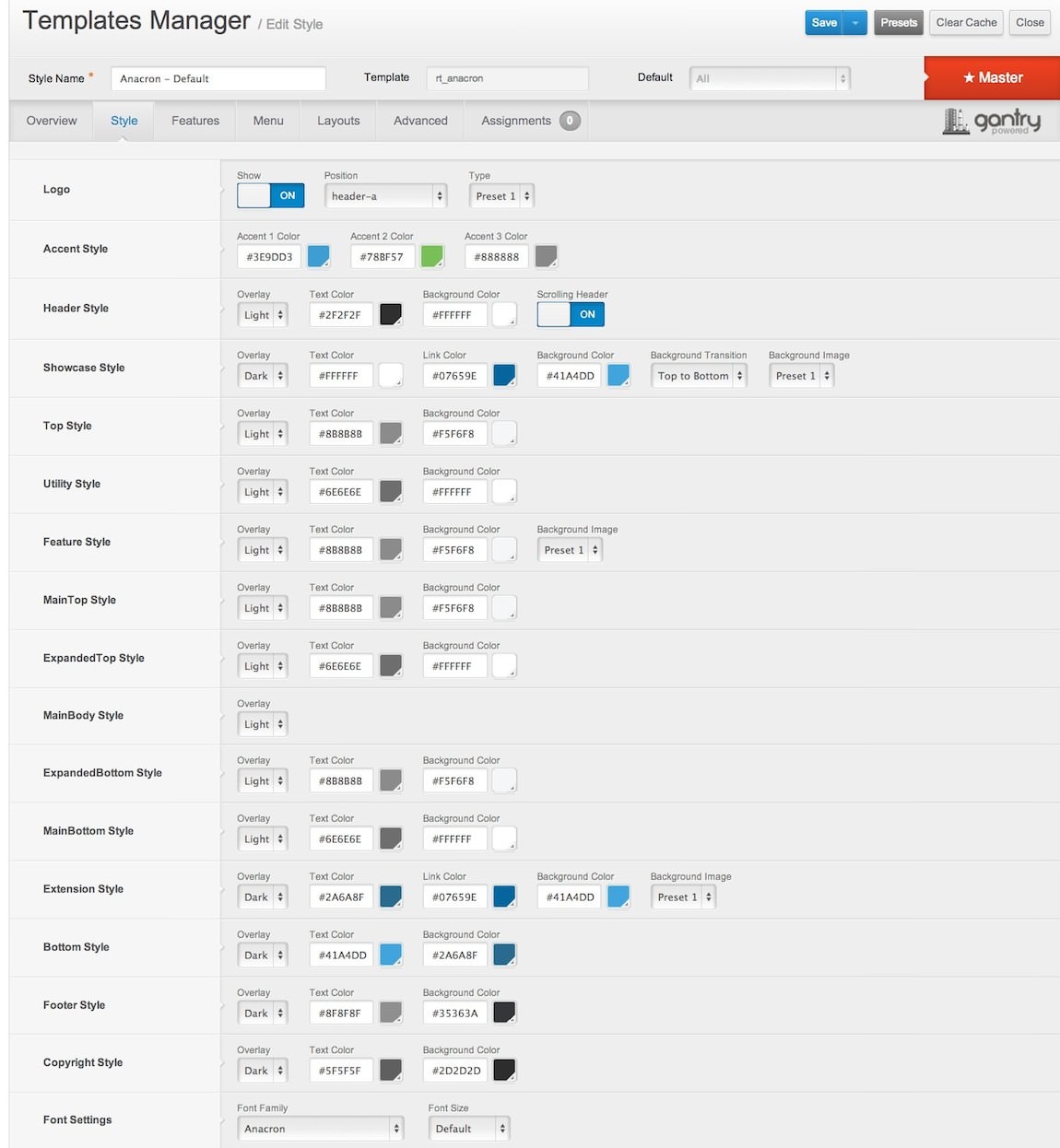
The Style Settings panel in the Gantry based theme administration interface provides several options for configuring the main built in stylistic aspects of the template.

Style

Gantry also provides the ability for you to create your own custom presets based on any parameter in the theme administrator. You should determine which parameters you wish to configure to be a part of the presets.


Assigning a Style

With Gantry, the ability to assign a certain style to an individual page has never been easier and/or more efficient. Just follow these simple steps:

  • Go to Extensions → Template Manager → rt_anacron → Assignments → *Menu Item*
  • Select your preset from Show Presets, configure and save.

After setting your defaults to the desired values, select the Menu Items button and choose the menu item you wish to modify the parameters for. You will then see a series of checkboxes on the left of all the supported parameters.

Select the checkbox next to the parameter you wish to modify, it will then become active, and you can modify as you wish. Clicking “Save” in the toolbar will then save this configuration.

Gantry Framework: Style Configuration
  • About
  • Services
  • FAQ
image Modern. Powerful.

Replicate the Demo.

RocketLauncher

Multiple Platforms

The RocketLauncher is a customized Joomla install, that replaces the default sample data with the data from the demo, alongside images, the extensions and template. It is a quick way to replicate the demo onto your server.

Layered Image Sources.

Anacron is distributed with Adobe Fireworks PNG sources, layered and editable, to allow for quick and easy customization.

image John Doe CEO

image Mary Burke Designer

image Hans Jose Developer

image Mark Riley Support

Flexible & Adaptable Sample Pages.

There are a series of example pages beyond the frontpage, to show how flexible the layout system, with varying page types, module uses, and layout distributions.

Graphic Charts by ChartJS

Create exquisite graphical charts using HTML5 and Chart.js, which is built-in with Anacron.

Coming Soon / Offline Page

Anacron supports a simple coming soon or offline style page with a time counter.

Why Creative Leaders

  • Experience +

    The module layout is split into rows of up to 6 grid blocks. Each grid
  • Qualifications +

    Controlled via an advanced user interface, with tabs, toggles, sliders and modals, to allow easy configuration.
  • Backing +

    Features are self contained elements of functionality. They can easily hook into a Gantry template.
  • Care Factor +

    Community forum support as well as publicly available online documentation, to assist and guide.
  • 1